As we all know, Hamster Kombat’s TGE and Airdrop will launch on September 26th, so we need to prepare ourselves for it. Hamster will be available on major CEXs like Binance, OKX, Bybit, EBI, and many more to come. To seamlessly receive the airdrop in your wallet, it’s important to choose the right exchange wallet. At this point, you might be wondering which exchange wallet is best for you. In this blog, we will explore the top exchange wallets and guide you on how to set them up for airdrop allocation.

You also receive your Airdrop token in Wallet in Telegram!
It is the easiest way to get your coins, since you don’t even need to leave Telegram.
Within Wallet you will be able to trade your tokens on the P2P market, exchange them to other crypto(limited options are available), and send them to other Telegram users without fees! However, we do not recommend choosing a Telegram wallet for this, as it has some disadvantages. In the recent airdrop of Dogs tokens, users who selected the Telegram wallet received their tokens late. Additionally, on CEX exchanges, you can easily track live token price charts, which is not possible with a Telegram wallet.
On Which exchanges HMSTR going to launch..??
Hamster token (HMSTR) is set to launch on the following exchanges. Some exchanges require KYC, while others do not. Refer to the chart below for more details.
| Exchange Name | KYC requirement |
| Binance exchange | Required |
| OKX exchange | Required |
| Bybit exchange | Required |
| Wallect in Telegram | light KYC |
| EBI exchange | No KYC/ No gas fee |
| ON chain airdrop | No KYC |
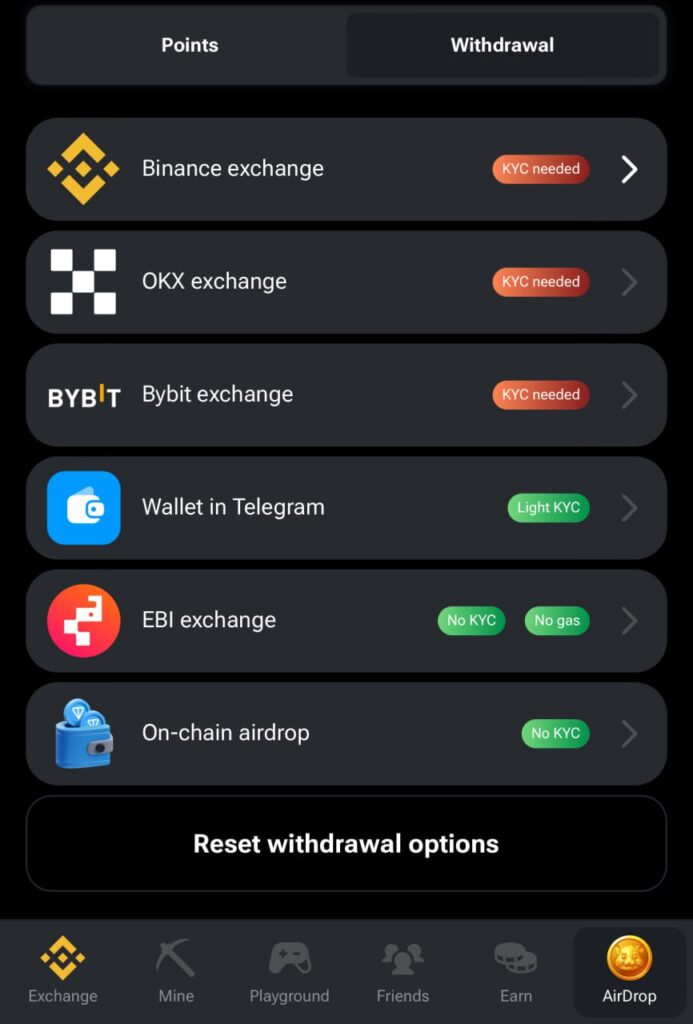
Which exchanges we are selected…???
We chose Binance exchange wallet to receive the airdrop because it’s one of the largest and most secure platforms, offering seamless access to your tokens. Binance provides advanced features such as live price tracking, easy trading options, and high liquidity. Additionally, its strong security measures and widespread user base make it a trusted option for receiving airdrops.
How to set-up your Binance wallet..???
to set up your wallet you need to follow below steps.
Step 1:- Open your Hamster application in your telegram.
Step 2:- Go to Airdrop section. Then Firstly click on “Reset withdrawal option”. It will removed your previous wallet connection.
Step 3:- Then click on 1st option “Binance exchange”. It will move you on Binance app.
Step 4:- Go to wallet section in Binance. Then click on deposit section.
Step 5:- Then in search bar search “HMSTR” and click on it.
Step 6:- Choose network – Toncoin
Step 7:- Then copy both Deposit address and memo and paste it in your hamster application.
Step 8:- Send request to binance for make connection.
Step 9:- After completion of all steps wallet get connected, you will receive same message(see below image) from hamster. You will see the green tick mark in front binance wallet.